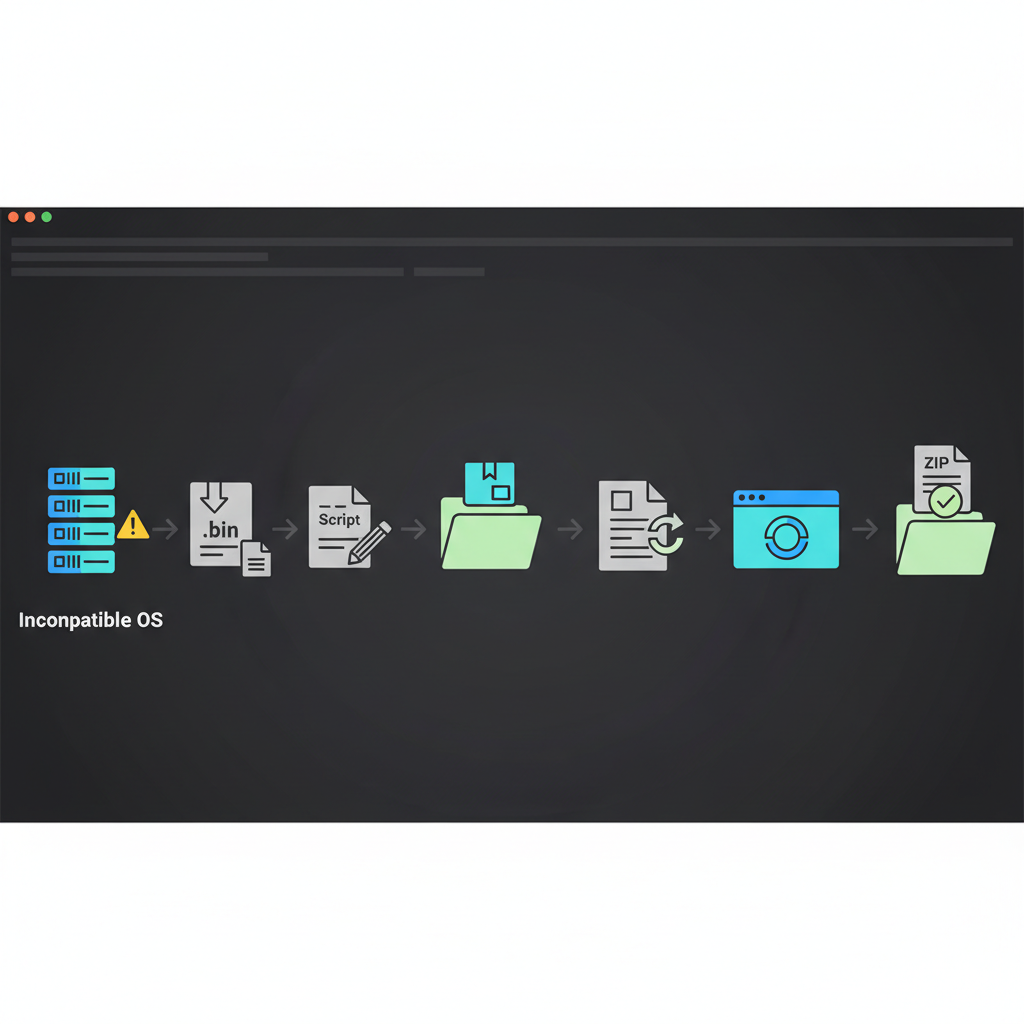
비호환OS dell Dset 실행하기
Dell에서 cli기반의 진단Tool인 Dset은 Dell에서 정식지원되지 않는 OS버전이라도 몇가지 파일을 수정하면 실행 가능합니다. (비호환OS이니 잘 안되도.. 어쩔수가 없어요.. ㅠㅠ)
- DellDset 실행파일 다운로드 http://linux.dell.com
- Dset 실행파일 편집
$> vi delldset_v2.1.0.112_A00.bin ... ... $> rm -rf $_TEMP_ARCHIVE $_TEMP_PACKAGE_GENERATOR $_TEMPDIR 2> /dev/null $> 178번 줄 rm -rf 로 시작하는 명령어를 주석처리 후 실행 ... ... - 권한 설정 후 실행
실행하지 않아도 되고 quit 처리하면 /tmp폴더에 delldset으로 시작하는 폴더가 생성되어 있을꺼예요.
$> chmod +x delldset_v2.1.0.112_A00.bin $> ./delldset_v2.1.0.112_A00.bin Choose an option: 1) Read DSET Release Notes First Show latest information concerning features and known issues 2) Create DSET Report Only Creates a DSET report and saves it to user's home directory 3) Clear ESM Hardware Log Only Only clears the ESM Hardware Log contents 4) Install/Upgrade DSET Application Permanently installs or upgrades the DSET application for repeat use Enter option (1-4) or 'q' to quit: q - 설치 파일 확인
$> ls -l /tmp total 8 drwx------. 2 root root 4096 Jul 20 13:28 delldset_v2.1.0.112_A00.bin-1288-4067 - dset패키지 설치
$> cd /tmp/delldset_v2.1.0.112_A00.bin-1288-4067 $> yum localinstall delldset-2.1.0-112.i386.rpm - dellsysteminfo명령어 수정
 $> which dellsysteminfo
 /usr/bin/dellsysteminfo
$> $vi /usr/bin/dellsysteminfo 교체내용 – $RpmPath/dset/bin 에서 $RpmPath을 /opt/dell/으로 내용 교체 - dset 실행
$> dellsysteminfo --time --nologs error: incorrect format: unknown tag Dell System E-Support Tool @Copyright Dell Inc. 2004-2010 Version 2.1 build 112 NOTE: Customer information has not been specified yet. This information is optional but it can assist Dell Technical Support. Enter your company name: * Getting Linux system summary information ... Gathering Network Information ... Gathering OS Summary Information ... * Xsltproc is not installed. Installing now... * Uninstalling the installed xsltproc.. * Getting Linux operating system configuration information ... Gathering Boot Information ... Gathering Module Information ... Gathering Memory Information ... Gathering Storage Information ... Gathering Network Information Gathering Summary Information ... * Gathering chassis information... * Gathering DRAC Information... * Converting DRAC txt information to XML format... * Gathering storage information... Note: Scanning for supported SCSI or RAID controllers... [please wait] * Collecting storage information... * Transforming XML files ... * Xsltproc is not installed. Installing now... * Uninstalling the installed xsltproc.. * Xsltproc is not installed. Installing now... * Uninstalling the installed xsltproc.. * Xsltproc is not installed. Installing now... * Uninstalling the installed xsltproc.. * Creating table of contents ... * Unloading framework core * DSET Instrumentation uninstalled successfully * Compressing report... A compressed, encrypted ZIP report archive was saved at: /root/DSET_Report_for_123..zip - dset 결과 확인 - /root밑에 DSET_Report로 시작하는 압축파일이 생성될꺼예용. 그 파일 압축해제 후 dsetreport.hta 파일 실행시키면 하드웨어 정보를 볼 수 있습니다. - 만약에 압축파일이 생성되지 않으면 zip명령어가 없거나 정상적으로 실행되지 않는 경우이니 zip을 설치하시면 됩니다. (압축해제 비밀번호는 dell 입니다.)
 |
|---|
| perplexity에서 생성한 AI이미지 |
작성일: 2026년 6월 17일
,
마지막 업데이트: 2026년 7월 14일