Nmcli기반의 네트워크 설정
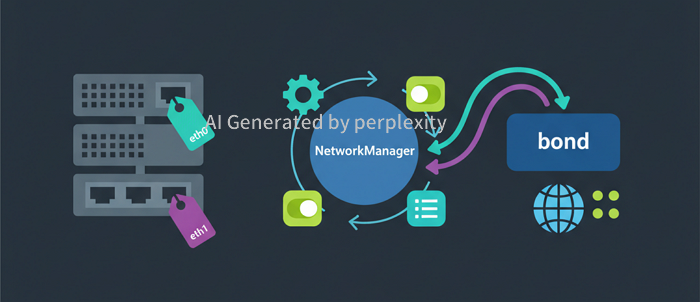
소개
RHEL8계열부터는 networkscripts를 사용하지 못하고 NetworkManager를 이용한 네트워크 장치를 관리해야 하기 때문에, NetworkManager를 사용할줄 알아야 하네요....
작업하기
- 수동으로 생성된 ifcfg파일을 NetworkManager 로드
$> nmcli connection load /etc/sysconfig/network-scripts/ifcfg-eth0 $> nmcli connection up eth0 - 네트워크 up/down 설정
$> nmcli connection up eth0 #nic 활성화 $> nmcli connection down eth0 #nic 비활성화 - 네트워크 연결상태 확인
$> nmcli device status DEVICE TYPE STATE CONNECTION eth0 ethernet 연결됨 eth0 eth1 ethernet 연결됨 eth1 lo loopback 관리되지 않음 -- -
네임서버 설정 bond0에 네임서버를 8.8.8.8, 219.250.36.130 으로 설정
$> nmcli connection modify eth0 ipv4.dns "8.8.8.8,219.250.36.130" $> nmcli connection up eth0 $> cat /etc/resolv.conf # Generated by NetworkManager nameserver 8.8.8.8 nameserver 219.250.36.130 -
본딩구성하기(active-backup 방식으로 설정)
-
bond NIC이름 설정하고 네트워크 정보 설정
$> nmcli connection add type bond con-name bond0 ifname bond0 bond.options "mode=1,miimon=100" $> nmcli connection mod bond0 ipv4.addresses 192.168.10.100/24 $> nmcli connection mod bond0 ipv4.gateway 192.168.10.1 $> nmcli connection mod bond0 ipv4.method manual $> nmcli connection mod bond0 ipv6.method disabled -
eth0과 eth1을 본딩 맴버용 NIC 추가
$> nmcli connection add type ethernet con-name eth0 ifname eth0 master bond0 $> nmcli connection add type ethernet con-name eth1 ifname eth1 master bond0 -
본딩 NIC 활성화
$> nmcli connection up bond0 - 본딩 모드 변경
$> nmcli connection mod bond0 +bond.options "mode=0,miimon=100"
$> nmcli connection up bond0
reference
- https:/access.redhat.com/documentation/en-us/red_hat_enterprise_linux/7/html/networking_guide/sec-network_bonding_using_the_networkmanager_command_line_tool_nmcli/
- https:/fendys.tistory.com/28/