Mysql replication 설정
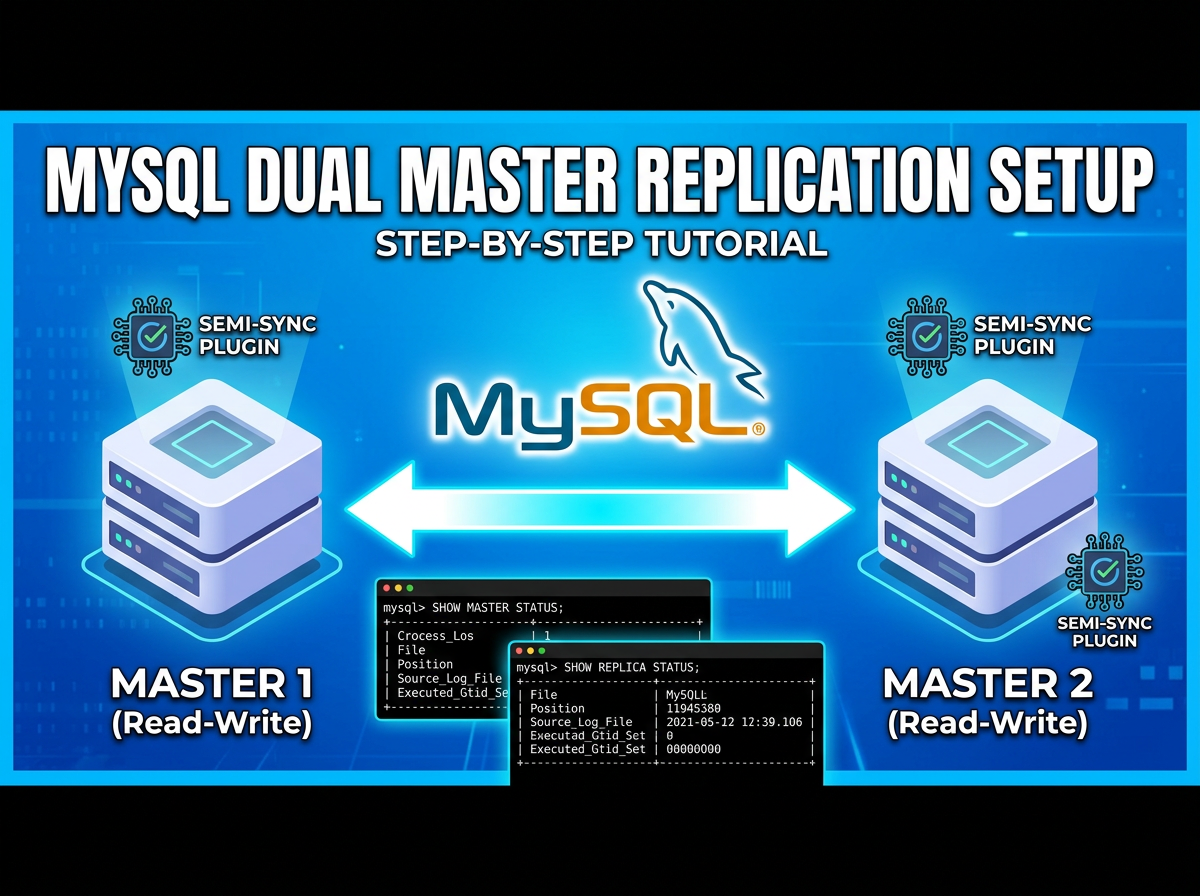
소개
- Mysql 데이터복제를 위한 replication 설정절차에 대해 업데이트 했습니니다.
- 5.5부터는 innodb를 기본엔진으로 사용하기 때문에, Myisam을 사용할 경우, 테이블 구성시 엔진타입을 따로 기재해 주어야 함.
구성
- Master1 : 192.168.20.11
- Master2 : 192.168.20.12
작업 시작
- Mysql replication 구성하기(Dual Master)
- Master 구성하기
- my.cnf에 해당 내용 추가하기
$> vi /etc/my.cnf server-id = 1 binlog-do-db=wordpress (리플리케이션 사용할 DB명, 여러개의 DB일 경우, 한칸씩 띄우면 됨. wordpress mysql, 전체 DB를 복제할경우엔는 따로 설정하지않아도 됨) - Master2 /etc/my.cnf파일에 내용 변경
$> vi /etc/my.cnf server-id = 2 binlog-do-db=wordpress - Master1에 master 플러그인 설치 및 활성화
mysql> INSTALL PLUGIN rpl_semi_sync_master SONAME 'semisync_master.so'; Query OK, 0 rows affected (0.00 sec) mysql> set global rpl_semi_sync_master_enabled=1; Query OK, 0 rows affected (0.00 sec) mysql> set global rpl_semi_sync_master_timeout =1000; Query OK, 0 rows affected (0.00 sec) mysql> show variables like 'rpl_semi_sync%'; +------------------------------------+-------+ | Variable_name | Value | +------------------------------------+-------+ | rpl_semi_sync_master_enabled | ON | | rpl_semi_sync_master_timeout | 1000 | | rpl_semi_sync_master_trace_level | 32 | | rpl_semi_sync_master_wait_no_slave | ON | +------------------------------------+-------+ - Master2서버에서 쿼리 적용할 수 있게 권한 부여
mysql> grant replication slave on *.* to 'repl_test'@'192.168.20.12' identified by 'repltest'; Query OK, 0 rows affected (0.00 sec) - Master2서버에 슬레이브 플러그인 설치 및 활성화
mysql> INSTALL PLUGIN rpl_semi_sync_slave SONAME 'semisync_slave.so'; mysql> set global rpl_semi_sync_slave_enabled=1; mysql> show variables like 'rpl_semi_sync%'; +---------------------------------+-------+ | Variable_name | Value | +---------------------------------+-------+ | rpl_semi_sync_slave_enabled | ON | | rpl_semi_sync_slave_trace_level | 32 | +---------------------------------+-------+ 2 rows in set (0.01 sec) - Master1서버에서 접속할 수 있게 권한 설정
mysql> grant replication slave on *.* to 'repl_test'@'192.168.20.11' identified by 'repltest'; -
양쪽 Master서버의 bin log, postion 초기화
mysql> reset master; -
각 서버 Master상태 확인
- Master1에서 확인
mysql> show master status; +------------------+----------+--------------+------------------+ | File | Position | Binlog_Do_DB | Binlog_Ignore_DB | +------------------+----------+--------------+------------------+ | mysql-bin.000001 | 100 | wordpress | | +------------------+----------+--------------+------------------+ 1 row in set (0.00 sec) -
Master2에서 확인
mysql> show master status; +------------------+----------+--------------+------------------+ | File | Position | Binlog_Do_DB | Binlog_Ignore_DB | +------------------+----------+--------------+------------------+ | mysql-bin.000001 | 100 | wordpress | | +------------------+----------+--------------+------------------+ 1 row in set (0.00 sec) -
양쪽 서버 Master연결 (File과 Position을 맞추면 됨)
- Master1에서 수행
mysql> change master to master_host='192.168.20.12',master_user='repl_test', master_password='repltest',master_log_file='mysql-master-bin.000001', master_log_pos=100; -
Master2에서 수행
mysql> change master to master_host='192.168.20.11' master_user='repl_test', master_password='repltest' master_log_file='mysql-master-bin.000001', master_log_pos=100; -
각서버 연결상태확인
- Master1
mysql> show slave status \G; *************************** 1. row *************************** Slave_IO_State: Master_Host: 192.168.20.12 Master_User: repl_test Master_Port: 3306 Connect_Retry: 60 Master_Log_File: mysql-bin.000001 Read_Master_Log_Pos: 107 Relay_Log_File: ha1-relay-bin.000001 Relay_Log_Pos: 4 Relay_Master_Log_File: mysql-bin.000001 Slave_IO_Running: Yes Slave_SQL_Running: Yes Replicate_Do_DB: Replicate_Ignore_DB: Replicate_Do_Table: Replicate_Ignore_Table: Replicate_Wild_Do_Table: Replicate_Wild_Ignore_Table: Last_Errno: 0 Last_Error: Skip_Counter: 0 Exec_Master_Log_Pos: 107 Relay_Log_Space: 107 Until_Condition: None Until_Log_File: Until_Log_Pos: 0 Master_SSL_Allowed: No Master_SSL_CA_File: Master_SSL_CA_Path: Master_SSL_Cert: Master_SSL_Cipher: Master_SSL_Key: Seconds_Behind_Master: 0 Master_SSL_Verify_Server_Cert: No Last_IO_Errno: 0 Last_IO_Error: Last_SQL_Errno: 0 Last_SQL_Error: Replicate_Ignore_Server_Ids: Master_Server_Id: 0 1 row in set (0.00 sec) ERROR: No query specified - Master2
mysql> show slave status \G;
*************************** 1. row ***************************
                Slave_IO_State:
                   Master_Host: 192.168.20.11
                   Master_User: repl_test
                   Master_Port: 3306
                 Connect_Retry: 60
               Master_Log_File: mysql-bin.000001
           Read_Master_Log_Pos: 107
                Relay_Log_File: ha2-relay-bin.000001
                 Relay_Log_Pos: 4
         Relay_Master_Log_File: mysql-bin.000001
              Slave_IO_Running: Yes
             Slave_SQL_Running: Yes
               Replicate_Do_DB:
           Replicate_Ignore_DB:
            Replicate_Do_Table:
        Replicate_Ignore_Table:
       Replicate_Wild_Do_Table:
   Replicate_Wild_Ignore_Table:
                    Last_Errno: 0
                    Last_Error:
                  Skip_Counter: 0
           Exec_Master_Log_Pos: 107
               Relay_Log_Space: 107
               Until_Condition: None
                Until_Log_File:
                 Until_Log_Pos: 0
            Master_SSL_Allowed: No
            Master_SSL_CA_File:
            Master_SSL_CA_Path:
               Master_SSL_Cert:
             Master_SSL_Cipher:
                Master_SSL_Key:
         Seconds_Behind_Master: 0
 Master_SSL_Verify_Server_Cert: No
                 Last_IO_Errno: 0
                 Last_IO_Error:
                Last_SQL_Errno: 0
                Last_SQL_Error:
   Replicate_Ignore_Server_Ids:
              Master_Server_Id: 0
 1 row in set (0.00 sec)
 ERROR:
 No query specified