13. 폐쇄망환경에서 운영하기
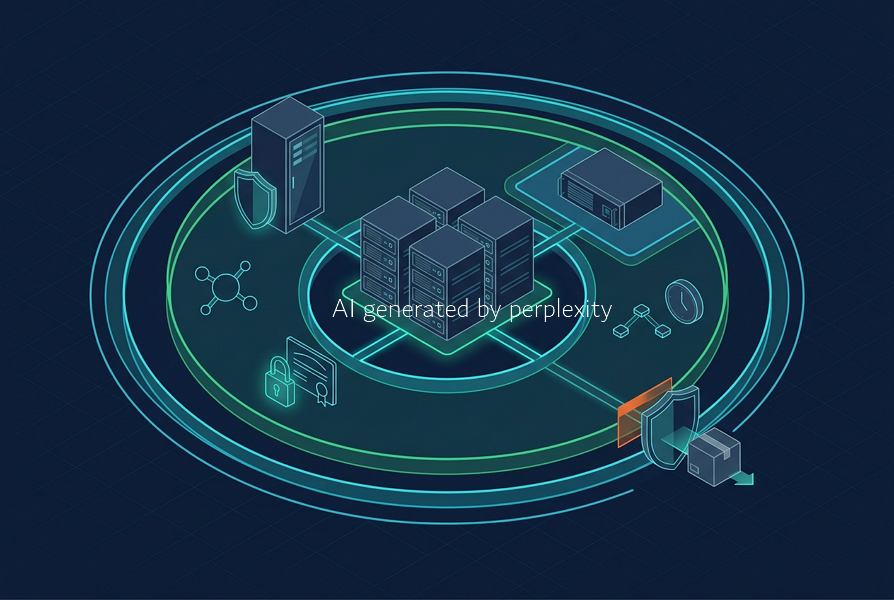
폐쇄망 환경에서 Proxmox VE 운영하기
폐쇄망에서 Proxmox VE를 운영하는 일은 인터넷 없이 가상화 서버를 설치하는 문제가 아닙니다.
ISO, OS package, Proxmox update, VirtIO driver, LXC template, Cloud Image, certificate, DNS, NTP, backup, documentation, recovery tool을 반입·검증·승인·배포·보관·복구까지 내부에서 완결해야 합니다.
External Source
├── PVE / PBS ISO
├── Debian / Proxmox / Ceph Package
├── VirtIO Driver
├── Cloud Image / LXC Template
├── Firmware / Driver
├── Security Advisory
└── Documentation
        │
        ▼
Staging / Import Zone
├── Source Verification
├── SHA256 Verification
├── Signature Verification
├── Malware Scan
├── Vulnerability / License Review
├── Approval
└── Artifact Archive
        │
        ▼
Air-gapped Proxmox VE Zone
├── Internal DNS / NTP
├── Internal APT Repository
├── Internal CA / PKI
├── ISO / Template Library
├── PVE / PBS / Ceph
├── Backup Storage
└── Monitoring / Logging
폐쇄망의 핵심은 외부 접속을 차단하는 것이 아니라, 필요한 artifact와 운영 절차가 내부에서 지속 가능하게 돌아가도록 만드는 것입니다.
폐쇄망 운영 원칙
| 항목 | 인터넷 연결 환경 | 폐쇄망 환경 |
|---|---|---|
| ISO·Template | 필요 시 다운로드 | 사전 반입·검증·내부 보관 |
| OS·PVE Update | 외부 repository 직접 사용 | internal mirror 또는 승인 package repository |
| DNS·NTP | public service 사용 가능 | internal DNS·NTP 필요 |
| Certificate | ACME·public CA 가능 | private CA·internal PKI 중심 |
| Documentation | 외부 문서 검색 가능 | internal Wiki·Git·PDF·Runbook 보관 |
| Recovery | 외부 download·검색 가능 | tool·package·document를 내부에 사전 준비 |
폐쇄망 Proxmox VE 운영에서 최소한 다음 질문에 답할 수 있어야 합니다.
- PVE, Debian, Ceph, PBS package를 어떤 repository에서 공급할 것인가
- ISO, VirtIO driver, LXC template, Cloud Image를 어떻게 검증·보관할 것인가
- internal DNS, NTP, private CA를 어떻게 운영할 것인가
- template과 Cloud-Init을 어떻게 내부 표준으로 관리할 것인가
- security advisory와 update package를 어떤 승인 경로로 반입할 것인가
- external network 없이 backup, restore, node recovery를 수행할 수 있는가
필수 아키텍처
Management Zone
├── Bastion Host
├── Internal DNS
├── Internal NTP
├── Internal CA / PKI
├── Monitoring / Logging
└── Configuration Repository

Transfer / Staging Zone
├── Artifact Import Host
├── Malware Scan
├── Signature Verification
├── Vulnerability Review
├── Approval Workflow
└── Artifact Archive

Virtualization Zone
├── Proxmox VE Node / Cluster
├── Internal APT Repository
├── ISO / Template Storage
├── Proxmox Backup Server
└── Ceph or Shared Storage
완전 air-gap 환경도 vendor advisory, CVE information, release note를 가져오는 승인된 out-of-band channel이 필요합니다. 인터넷을 차단했다고 vulnerability management가 자동으로 해결되는 것은 아닙니다.
Artifact 반입과 검증
반입 대상은 ISO만이 아닙니다.
| 영역 | 대표 Artifact |
|---|---|
| PVE / PBS | 설치 ISO, package, repository metadata, release note |
| Debian / Ceph | base package, security update, archive key |
| VM 운영 | OS ISO, VirtIO ISO, Cloud Image, Guest Agent |
| LXC | container template |
| Hardware | BIOS, BMC, RAID, HBA, NIC firmware·driver |
| Automation | Ansible role·collection, Terraform provider·module |
| Documentation | admin guide, runbook, security advisory |
반입 절차는 아래처럼 관리합니다.
1. Import Request
2. External Download
3. Source Verification
4. SHA256 Check
5. Signature Check
6. Malware Scan
7. Vulnerability / License Review
8. Approval
9. Internal Transfer
10. Repository / Library Registration
11. DEV / TEST Validation
12. Production Release
13. Archive and Record
ISO, Cloud Image, VirtIO ISO는 vendor checksum과 checksum signature를 검증합니다. Debian·Proxmox package repository는 Release/InRelease metadata와 trusted archive key를 통해 signature chain을 검증합니다.
반입 artifact에는 최소한 아래 metadata를 남깁니다.
Filename
Product / Version
Source URL or Vendor
Download Date
SHA256
Signature Verification Result
Malware Scan Result
Vulnerability / License Review
Approval ID
Import Date
Storage Location
Target Environment
Internal APT Repository
Proxmox VE는 Debian 기반이므로 폐쇄망 운영에는 internal APT repository가 필요합니다.
Internal APT Repository
├── Debian Base / Updates / Security
├── Proxmox VE Package
├── Ceph Package
├── PBS Package
├── Internal Metadata
└── GPG Trust Chain
운영 방식은 다음 중 하나를 선택합니다.
| 방식 | 적합한 환경 |
|---|---|
개별 .deb 반입 |
소규모·일회성 검증 |
| APT Mirror | 다수 node·정기 update |
| 승인 package repository | 고보안 운영 환경 |
| Repository Proxy | 제한된 external connection |
| Release Bundle | 완전 air-gap·고정 version 환경 |
운영 환경에서는 승인된 package만 제공하는 repository 또는 검증된 mirror를 권장합니다.
External Source
        │
Staging Mirror
├── Download
├── Verify
├── Scan
├── Compatibility Test
└── Approval
        │
Production Internal Repository
├── Approved Debian Package
├── Approved PVE Package
├── Approved Ceph Package
└── Approved PBS Package
Enterprise Repository를 internal mirror로 운영하려면 valid subscription과 vendor의 repository access·mirror·redistribution policy를 확인합니다.
PVE node는 external repository가 아니라 internal URL만 참조하도록 구성합니다.
# Example only
Types: deb
URIs: [https://apt-mirror.example.internal/proxmox/pve](https://apt-mirror.example.internal/proxmox/pve)
Suites: trixie
Components: pve-enterprise
Signed-By: /usr/share/keyrings/internal-proxmox-archive-keyring.gpg
Debian main, updates, security repository의 URI와 suite mapping은 internal mirror의 publish 구조에 맞춰 설계합니다.
pveversion -v
cat /etc/os-release

apt update
apt-cache policy proxmox-ve pve-manager pve-kernel
apt list --upgradable
apt -s full-upgrade
DEV·TEST·PROD 승격
폐쇄망에서는 최신 package를 운영 node에 바로 적용하지 않습니다.
External Source
        │
Import Zone
        │
DEV Repository
        │
TEST Repository
        │
Production Approved Repository
업데이트 전에는 release note, security advisory, dependency change, cluster·Ceph·PBS compatibility를 검토합니다.
1. DEV update
2. VM·CT create/start/stop test
3. Cluster·Corosync·storage test
4. Backup·restore test
5. TEST validation
6. Change approval
7. Production repository publish
8. Rolling node update
9. Post-update verification
cluster environment에서는 node를 한 대씩 update하고 필요 시 reboot합니다.
1. VM migration or service drain
2. First node update
3. Reboot if required
4. Cluster·storage·network check
5. Next node repeat
6. Full cluster validation
DNS, NTP, Private CA
폐쇄망 cluster는 모든 node의 hostname과 IP를 안정적으로 해석할 수 있어야 합니다. 소규모 환경은 /etc/hosts도 가능하지만, 운영 cluster는 DNS·certificate·automation·monitoring·node expansion을 고려해 internal DNS를 권장합니다.
pve-01.example.internal → 10.10.10.11
pve-02.example.internal → 10.10.10.12
pve-03.example.internal → 10.10.10.13
pbs-01.example.internal → 10.10.60.11
모든 PVE·PBS node는 internal NTP를 사용합니다.
ntp-01.example.internal
ntp-02.example.internal
        │
        ▼
PVE / PBS / Monitoring Nodes
timedatectl status
chronyc sources -v
chronyc tracking
폐쇄망에서는 public CA·ACME 대신 private CA 또는 internal PKI를 일반적으로 사용합니다.
Private PKI
├── Protected Root CA
├── Intermediate CA
├── PVE / PBS Certificate
├── Internal Repository Certificate
└── VM Service Certificate
Root CA trust는 PVE, PBS, repository뿐 아니라 administrator PC, Bastion, automation server, monitoring server, VM template에도 배포합니다.
Debian·Ubuntu 계열 example:
sudo cp internal-root-ca.crt \
  /usr/local/share/ca-certificates/internal-root-ca.crt

sudo update-ca-certificates
RHEL 계열 example:
sudo cp internal-root-ca.crt \
  /etc/pki/ca-trust/source/anchors/internal-root-ca.crt

sudo update-ca-trust
CA trust를 검증할 때 curl -k는 사용하지 않습니다.
curl -Iv [https://apt-mirror.example.internal](https://apt-mirror.example.internal)
curl -Iv [https://pve-01.example.internal:8006](https://pve-01.example.internal:8006)
PVE·PBS certificate는 Web UI의 Certificates 메뉴 또는 공식 CLI·API 절차로 적용합니다. pmxcfs 관리 file을 임의로 덮어쓰는 방식은 피합니다.
ISO, Template, Cloud-Init Library
폐쇄망에서는 ISO, LXC Template, Cloud Image, Golden Image, Cloud-Init Snippet을 versioned internal library로 관리합니다.
Internal Artifact Library
├── ISO
│   ├── PVE / PBS
│   ├── Linux OS
│   ├── Windows Server
│   └── VirtIO Driver
├── LXC Template
├── Cloud Image
├── VM Golden Image
└── Cloud-Init Snippet
Cloud Image import example:
qm importdisk 801 rocky-9-genericcloud-x86_64.qcow2 local-lvm

# 실제 import volume ID 확인
pvesm list local-lvm | grep 'vm-801'

qm set 801 \
  --scsihw virtio-scsi-single \
  --scsi0 local-lvm:<imported-volume-id>

qm set 801 --ide2 local-lvm:cloudinit
qm set 801 --agent enabled=1
qm set 801 --boot order=scsi0
qm template 801
폐쇄망 Golden Image에는 internal repository, DNS, NTP, CA, Guest Agent, Cloud-Init, security baseline, monitoring·logging agent를 포함할 수 있습니다.
Include
├── Approved OS / Kernel
├── Internal Repository
├── Internal DNS / NTP
├── Internal CA
├── qemu-guest-agent
├── cloud-init
└── Security / Monitoring Baseline

Exclude
├── Fixed Hostname / IP
├── SSH Host Key / machine-id
├── Private Key / Password / Token
├── Kubernetes Join Token
├── Application Data / Log
└── Agent Unique ID
Hostname, IP, SSH key 같은 VM별 값은 Proxmox Cloud-Init, Terraform, IPAM, Ansible에서 주입합니다. 공통 Cloud-Init User Data에는 host-specific value와 secret을 넣지 않습니다.
PBS와 복구
PBS는 PVE cluster와 가능한 한 다른 failure domain에 구성합니다.
PVE Cluster
├── Rack A
├── Power Path A
└── Storage Domain A
        │
        ▼
PBS
├── Rack B or Separate Site
├── Power Path B
├── Separate Storage
└── Separate Access Control
PBS 운영에는 backup, retention, prune, garbage collection, verify, sync, restore drill이 필요합니다.
Daily: Backup
Weekly: Prune / Verify
Monthly: Restore Drill
Quarterly: Application Recovery Test
PBS encryption을 사용하면 encryption key와 recovery key를 backup datastore와 분리된 안전한 location에 보관합니다.
encrypted backup은 server가 encryption key를 보유하지 않는 경우 verification 범위가 제한될 수 있습니다. 따라서 key recovery test와 actual restore drill이 더 중요합니다.
Off-site PBS sync는 verified-only 또는 encrypted-only policy를 검토합니다.
Internal Documentation and Runbook
폐쇄망에서는 external documentation을 즉시 검색할 수 없을 수 있으므로, 다음 문서를 internal Wiki·Git·file server에 보관합니다.
Internal Documentation Library
├── PVE / PBS / Ceph Admin Guide
├── Release Note / Upgrade Guide
├── Hardware / Firmware Manual
├── Network Diagram / IP Plan
├── Storage Design
├── Package Import Procedure
├── Backup / Restore Runbook
├── HA / Quorum Recovery Runbook
├── Certificate Renewal Runbook
├── Template Build Procedure
└── Emergency Contact List
최소 Runbook은 node failure, quorum loss, Ceph·NFS·iSCSI·ZFS failure, backup failure, VM restore, certificate renewal, package update, security incident를 포함합니다.
핵심 정리
- 폐쇄망 Proxmox VE 운영은 ISO·package·certificate·DNS·NTP·template·backup·document·recovery를 내부에서 지속 가능하게 운영하는 모델입니다.
- ISO·Cloud Image·VirtIO ISO는 checksum·signature를, APT package는 repository metadata와 trusted key chain을 검증합니다.
- 운영 node는 external repository 대신 internal mirror 또는 approved repository만 참조해야 합니다.
- DEV → TEST → PROD repository promotion과 rolling update 절차가 필요합니다.
- 운영 cluster에는 internal DNS, NTP, private CA, certificate trust distribution이 필요합니다.
- ISO, LXC Template, Cloud Image, Golden Image, Cloud-Init Snippet은 internal artifact library에서 version 관리합니다.
- Template에는 internal operational baseline을 넣고 hostname·IP·host key·machine-id·secret·data는 남기지 않습니다.
- PBS는 PVE cluster와 가능한 한 다른 failure domain에 두고, verify·sync·restore drill을 운영합니다.
- 폐쇄망에서도 security advisory와 vulnerability information을 가져오는 승인된 out-of-band channel이 필요합니다.
- external Internet 없이도 update, backup, restore, certificate renewal, node recovery를 수행할 수 있어야 합니다.
참고 자료
- Proxmox VE Package Repositories
- Proxmox VE Downloads
- Proxmox VE Installation
- Proxmox VE Cloud-Init Support
- Proxmox VE VM Templates and Clones
- Proxmox Backup Server Documentation
- Proxmox VE Cluster Manager